
EverDay 2.0 · Coming soon
Your week,
with room to unfold.
Coming in EverDay 2.0: a calmer planner, more connected plans, and a little more focus for today. Preview the update below; the current EverDay remains available on the App Store.
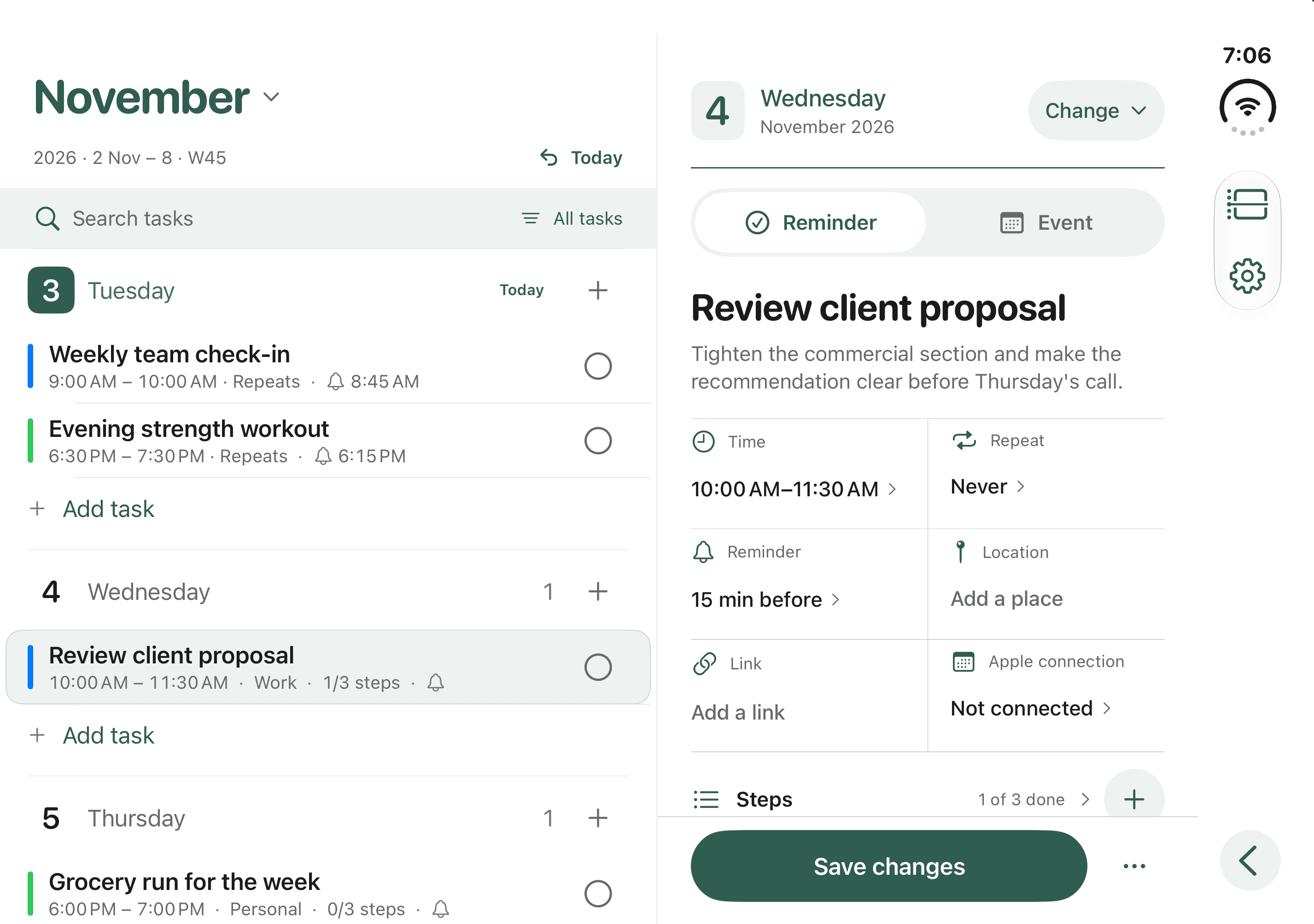
The same calm, across iPhone Duo.
Open landscape keeps your planner beside the entry you are editing. Portrait and the cover keep a single full-width page. Settings, onboarding and the Pro offer adapt too. Your ordinary iPhone keeps its familiar layout.
New possibilities with your existing Pro.
- Day view. Focus on one date, swipe through days and choose your preferred opening view.
- Apple Calendar. Bring selected calendars into your planner and edit supported details in the same records.
- Apple Reminders. Link individual dated reminders to your chosen list, including two-way completion.
- One detail view. Switch between reminders and events. Apple receives supported fields; your tags, steps and focus stay in EverDay.
- Daily focus. Choose Today's three, filter by tag, see workload and notice overlapping time blocks.
These join Month view, repeats, steps, automatic rollover, unlimited tags and all thirteen themes. Already own Pro? They are part of the same lifetime unlock. There is no new subscription or Duo upgrade to buy.
A better everyday planner for everyone.
- The Clear Week redesign brings quieter surfaces, matching headers and rounded controls.
- Locations and links live alongside reminder notes in Details.
- Recently deleted lets you recover EverDay tasks for 30 days.
- Widgets follow your palette, preserve task order and open the right day. Start-time-only reminders stay visible.
- A shorter introduction, consistent drawers and improved large-text spacing make the details easier to reach.
Your connections. Your choice.
Calendar and Reminders access is optional and requested separately. Choose the calendars and individual reminders to connect. EverDay does not import every Apple reminder or send connected content to RevenueCat. Your account providers handle their own sync; advanced event settings remain in Apple Calendar.
Read the updated Privacy Policy and Terms of Use for permissions, caching, and what happens when you disconnect or delete an item.
The features shown here arrive with version 2.0. The App Store currently offers an earlier release. iOS 18 or later. Duo-specific layouts require a supported iPhone Duo system. Core weekly planning is free; Pro features require the optional lifetime purchase.