WorkSample plan
Give the busy week a shape.
Keep meetings, deep work, follow-ups, and the one task that cannot slip in a single view.
Prepare launch deck
Product review · 2:00 PM
Send weekly update
EverDay is a calm, private weekly planner for iPhone that keeps work, personal tasks, time blocks, and reminders together—without turning your life into a dashboard.
Available on the App Store · iOS 18 or later
One continuous flow
EverDay keeps the same visual language from the week to each task and out to the month, so planning stays intuitive.
See work and personal plans together, finish a task, or move it to the day where it belongs.
Built for an actual Tuesday
Work and personal plans can live together without becoming a noisy, over-engineered system.
Keep meetings, deep work, follow-ups, and the one task that cannot slip in a single view.
Plan errands, appointments, exercise, calls, and the small promises you made to yourself.
Tags and time blocks make the shape of your day obvious without turning it into a spreadsheet.
Designed around real life
EverDay brings the right amount of structure to your week, then gets out of the way.
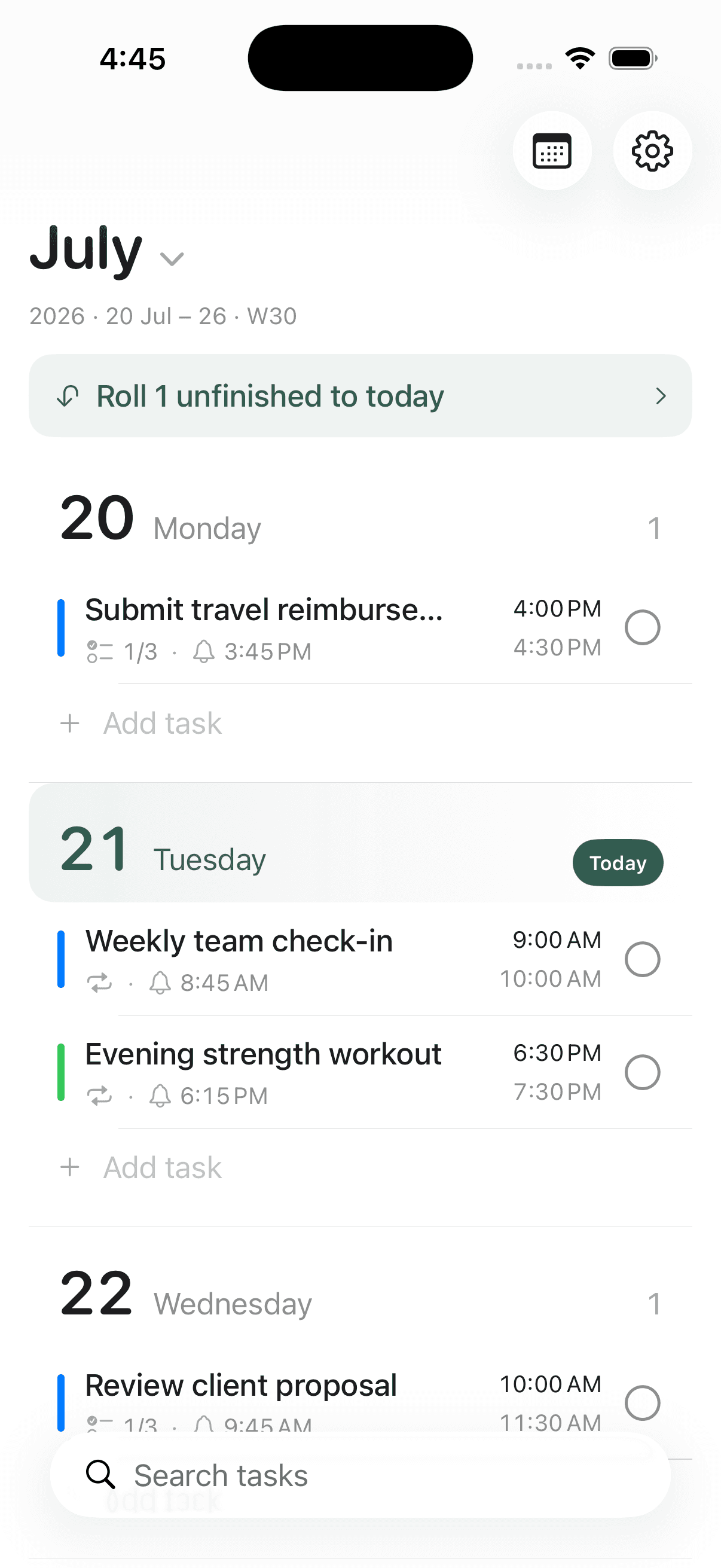
Week view
Keep work, life, and the space between them in one calm, scrollable week.
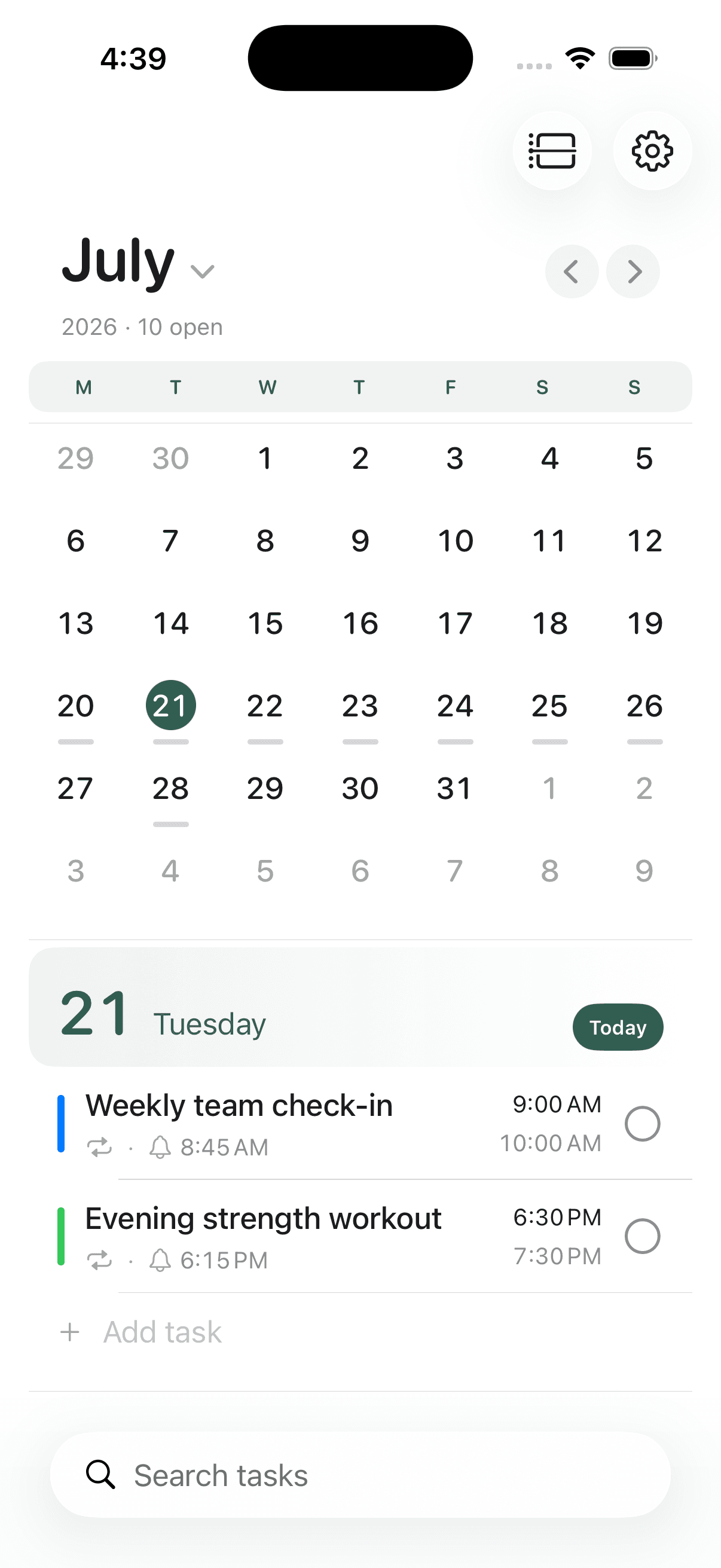
Month view
Spot busy days, open a date, and move between the week and month without rebuilding your plan.
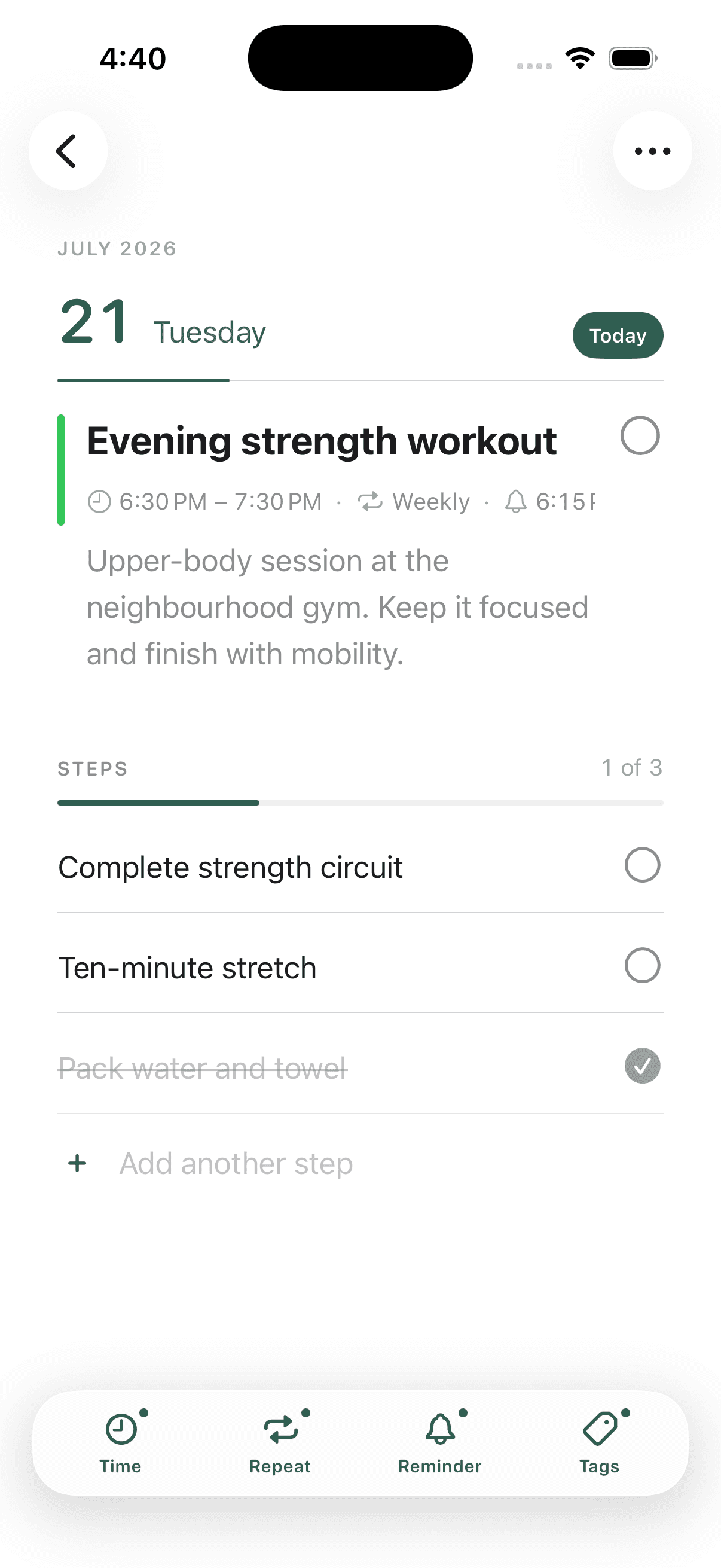
Task details
Add time blocks, reminders, repeats, tags, notes, and steps—then keep the board beautifully quiet.
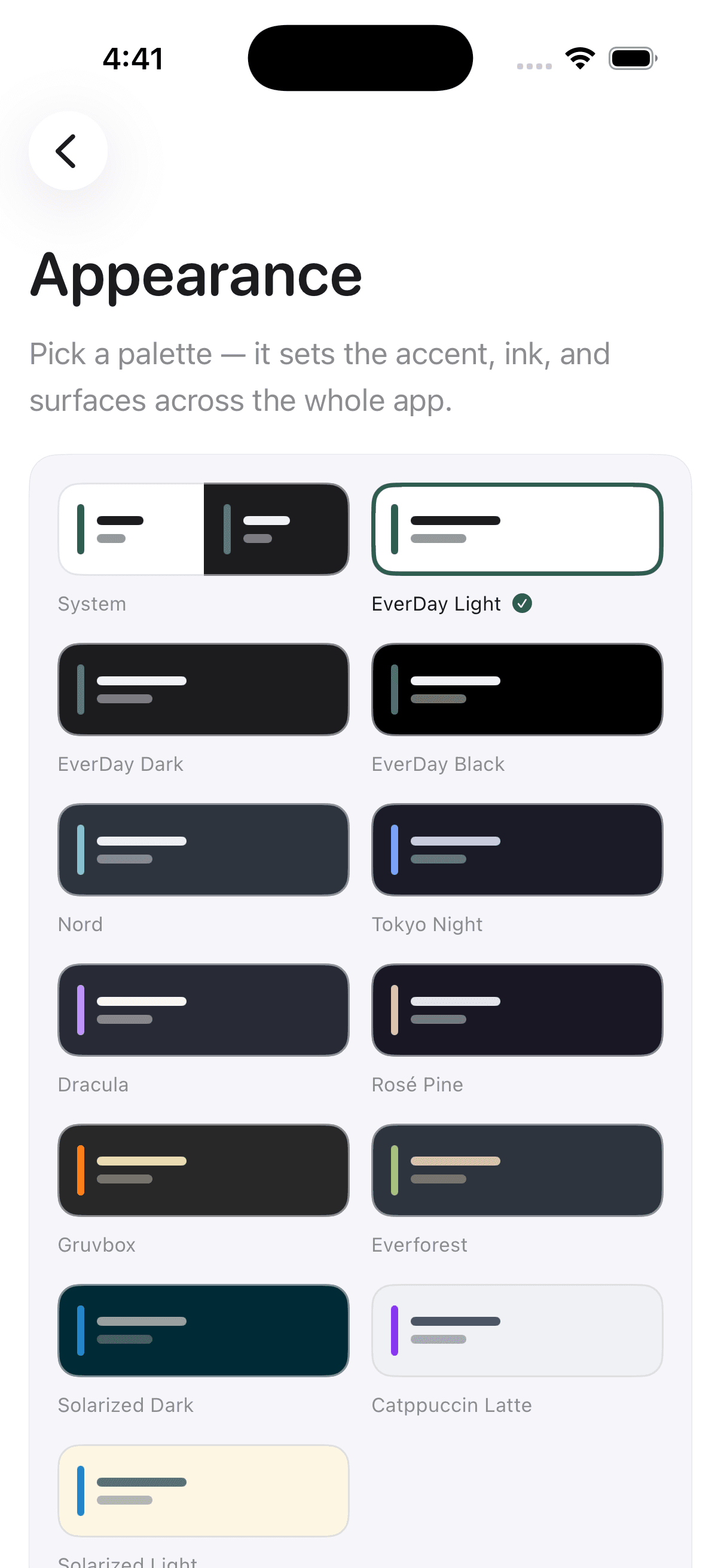
13 themes
Choose crisp light paper, deep dark palettes, or something with a little more personality.
Private by design
EverDay has no account system or ads. Your plan lives on your iPhone and can sync through your private iCloud. RevenueCat handles Pro purchases and limited paywall analytics, never your planner content.
Read our privacy policy
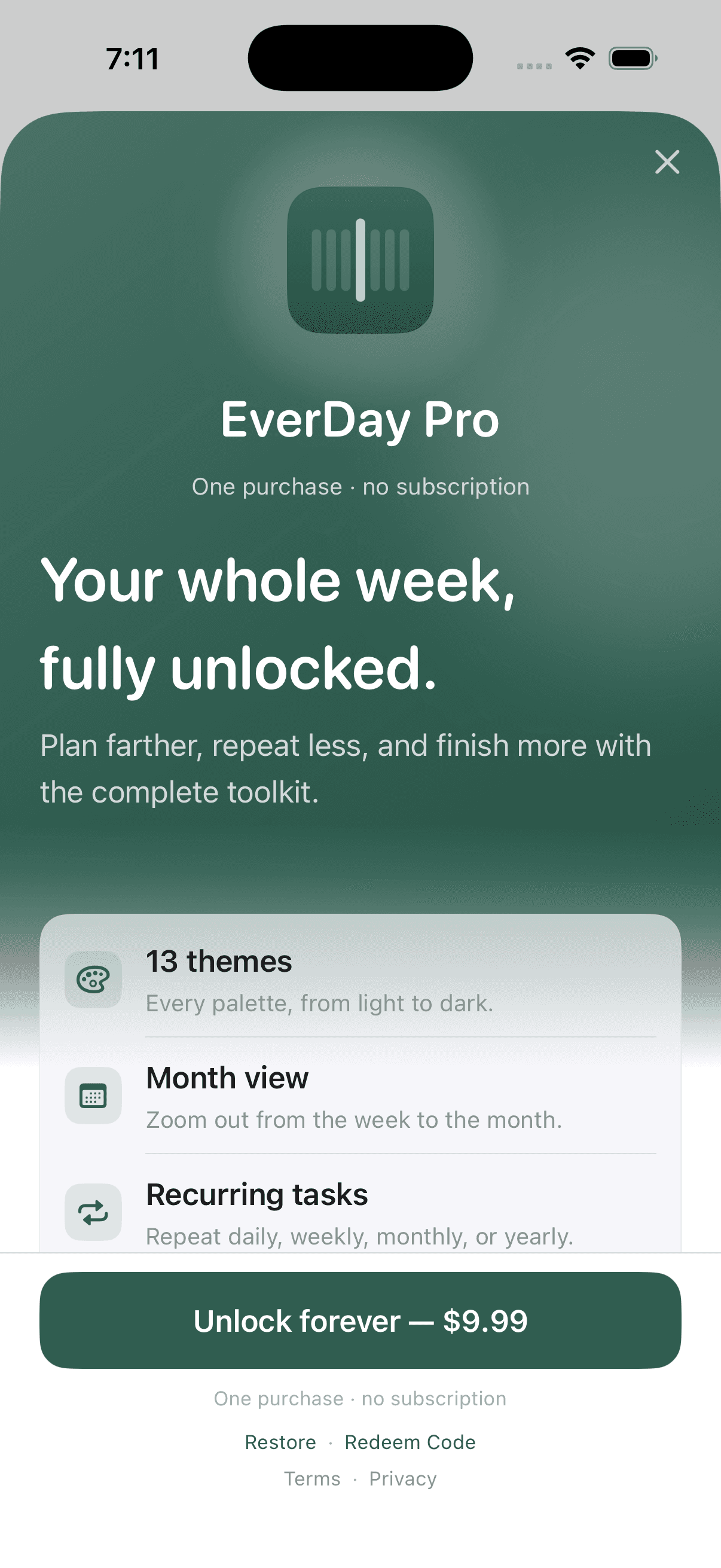
EverDay Pro
Get month view, recurring tasks, subtasks, all 13 themes, unlimited tags, and automatic rollover. No subscription.
Simple, honest pricing
The free app is a complete weekly planner. Pro adds the tools for deeper planning with one in-app purchase—never a subscription.
EverDay - Weekly Planner is available on the App Store for iPhone. Download it free; EverDay Pro remains an optional one-time in-app purchase.
Yes. The free app includes week planning, task details, time blocks, reminders, private iCloud sync, all 11 widgets, up to five tags, and four EverDay themes. EverDay Pro is an optional one-time in-app purchase for the complete toolkit.
Pro adds month view, repeating tasks, subtasks, unlimited tags, all 13 themes, and automatic rollover. Weekly review and morning agenda notifications are included free. Pro is a one-time in-app purchase, not a subscription.
There is no EverDay account. Your planner is stored on your iPhone and, when iCloud is available, Apple CloudKit can mirror it through the private iCloud account already connected to your device.
The task moves to its new day. If it has a reminder, EverDay keeps the reminder time and moves the notification to that same new date.
You stay in control. A rollover banner lets you carry unfinished work to today; Pro can also do this automatically when automatic rollover is enabled.
EverDay is designed for iPhone and requires iOS 18 or later. Every user can add 9 Home Screen and 2 Lock Screen widget configurations.
EverDay has no ads or cross-app advertising tracking. Versions with RevenueCat use limited purchase and Pro paywall analytics, never planner content. The separate website uses aggregated, cookie-free Vercel Web Analytics. Our Privacy Policy explains both.
A week that feels manageable
Download EverDay free for iPhone. Add the Pro toolkit with one optional purchase, never a subscription.
Get EverDay on the App Store